
If you’d like to view and download your invoices, here’s how to do it in a few quick steps.
Step 1 – Access your account
Go to:
https://pythonandvba.com/account-login/
Enter the product name and your license key.
You’ll get a secure login link by email.
Step 2 – Go to the Invoice tab
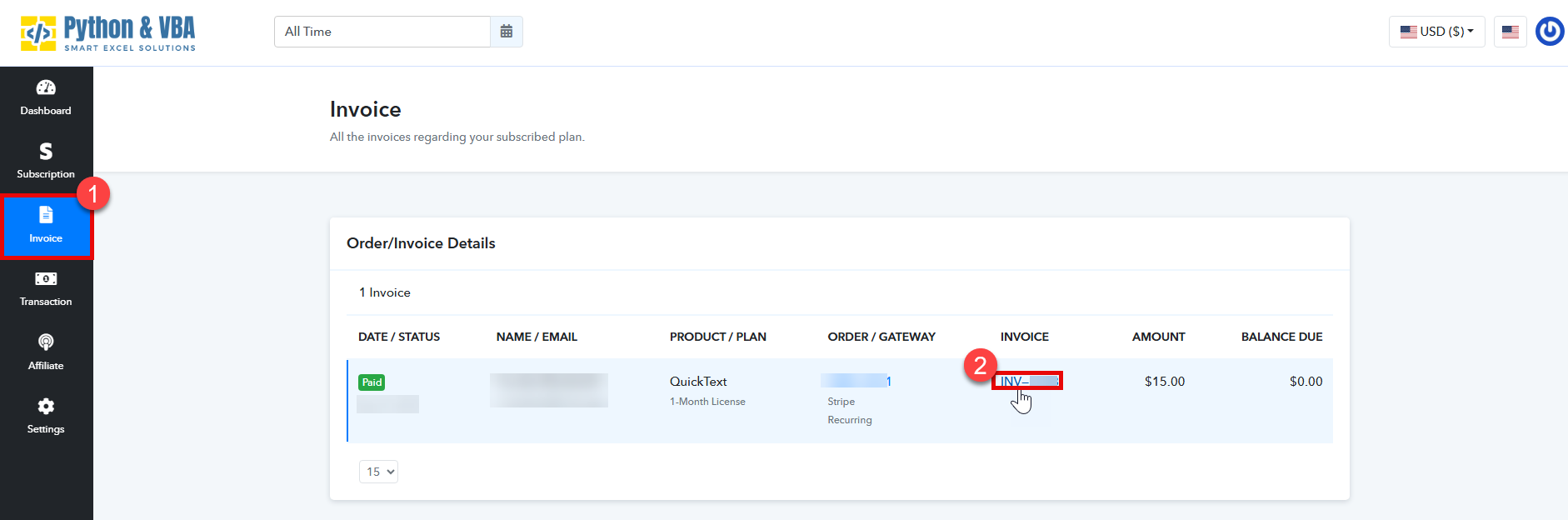
Once logged in, click on Invoice in the left menu.
Step 3 – View your invoice
You’ll see your invoices listed.
- Find the one you want to view.
- Click in the invoice number.
- View/Download your invoice.
