
Quick Overview #
The import wizard guides you through 5 steps:
- Select File – Choose your Excel or CSV file
- Preview Data – Verify your data and select worksheet (for Excel files)
- Map Columns – Select phone column and additional columns to import
- Import Options – Configure phone formatting, duplicates, and list assignment
- Review & Import – Confirm settings and run the import
Supported File Formats #
- Excel:
.xlsx,.xls,.xlsm,.xlsb - CSV:
.csv
Things to Know #
First Row as Headers Your file (ideally) should have column headers in the first row. The wizard uses these to help you map columns.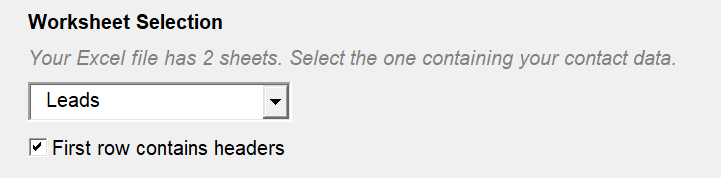
Phone Column Auto-Detection QuickText automatically detects your phone column if it contains words like “Phone”, “Mobile”, “Cell”, or “Tel”.
Multiple Columns You can import additional columns (e.g., First Name, Last Name, City) that will be added to your Contacts table. These can be used as placeholders in your messages.
Phone Number Formatting Enable “Standardize phone numbers” to convert all numbers to international E.164 format (e.g., +15551234567). Select your default region for numbers without a country code. Invalid numbers are flagged for review after import.
Duplicate Handling

| Import Option | Action for New Contacts | Action for Existing Contacts |
|---|---|---|
| Skip duplicates (keep existing data unchanged) | ✅ Added | ❌ Left unchanged |
| Update duplicates (merge new data into existing) | ✅ Added | ✅ Updated with new data |
| Allow duplicates (import all as new contacts) | ✅ Added | ✅ Added again (creates duplicates) |
Assign to List Assign all imported contacts to a list. You can select an existing list or type a new name. Contacts can belong to multiple lists (comma-separated).
Clear Existing Contacts Check this option to delete all existing contacts before importing. Useful for replacing your entire contact list.
Tips #
- Empty phone numbers are automatically skipped
- Duplicates within the same import file are detected and skipped
- After import, you’ll see a summary with counts for imported, updated, skipped, and invalid contacts
