
First check this #
Your phone and PC must be on the same WiFi.
Also check the WiFi band. Both devices must use the same band, either 2.4 GHz or 5 GHz.
If that is correct, continue with the steps below.
Step 1. Force close and restart KDE Connect #
Sometimes KDE Connect just needs a fresh start. On your phone, fully close the app (swipe it away from recent apps, or go to Settings > Apps > KDE Connect > Force Stop). Then open KDE Connect again and check if your computer shows up.
If it does, you’re good to go. If not, continue with Step 2.
Step 2. Clean reinstall #
A clean reinstall fixes the issue in most cases.
On Windows
- Open the Windows search bar.
- Type KDE Connect.
- Right click.
- Select Uninstall.
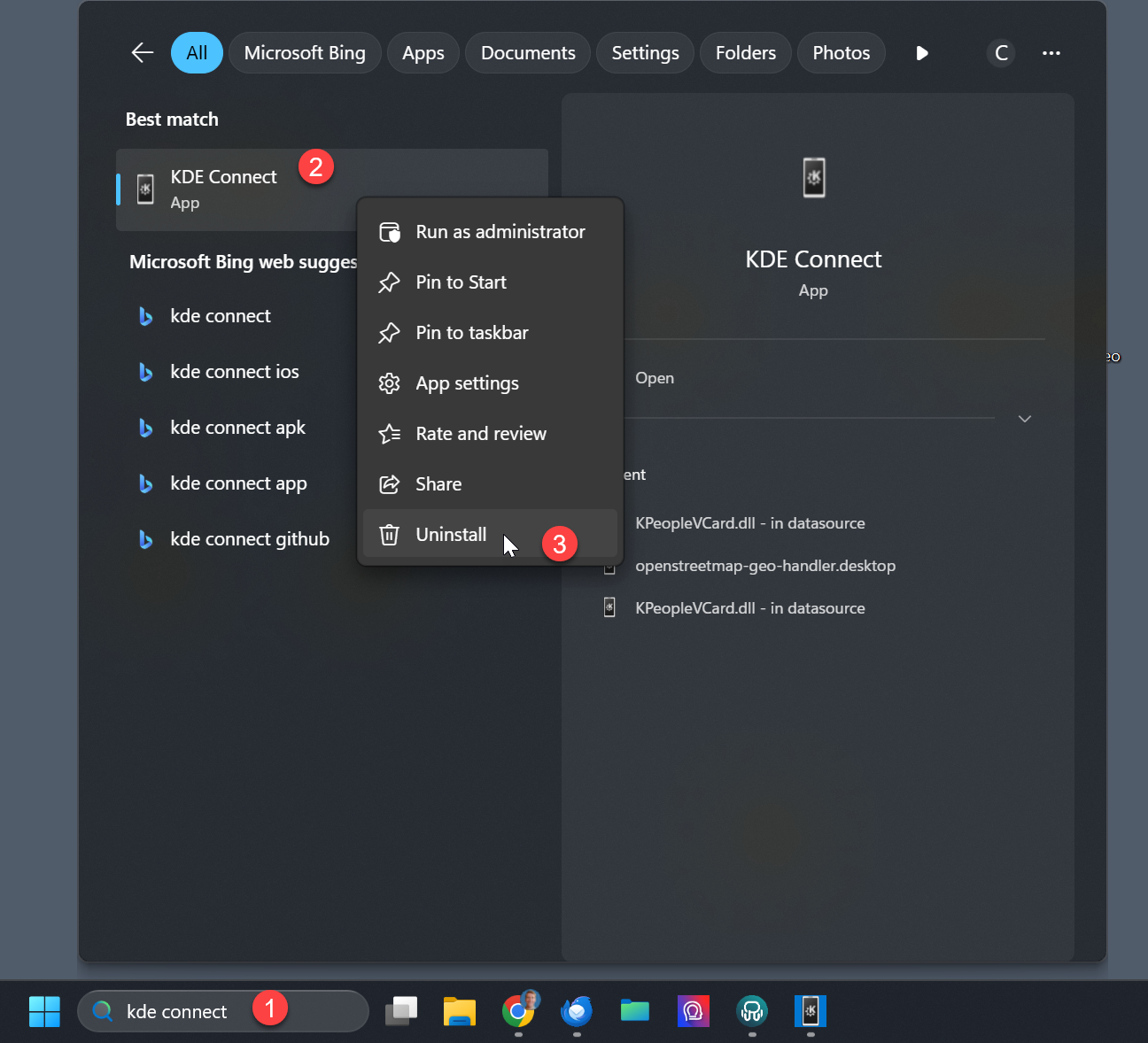
On Android
- Long press the KDE Connect app.
- Tap Uninstall.
- Install it again from the Play Store.
Then try pairing again. If it still doesn’t work, continue with Step 3.
Step 3. Check your network settings #
An update to Windows or Android can sometimes change network settings that KDE Connect needs. Go through the following checks.
Set your Windows network to Private
- Click the WiFi icon.
- Select your network.
- Click the info button.
- Scroll to Network profile.
- Choose Private.

Turn off Device Isolation on Windows
- Open Settings.
- Go to Privacy and security.
- Select Windows Security.
- Click Open Windows Security.
- Go to Device security.
- Open Core isolation.
- Turn Memory integrity off.
- Restart your PC.
Disable Private DNS on Android
- Open Settings.
- Go to Network and Internet.
- Tap Private DNS.
- Set it to Off.
