
AI Categorizer is paid per row with credits. There is no subscription.
What costs a credit #
- Categorizing: one credit for each row that is sent to the AI, however many categories you use.
- You are only charged for rows that come back with an answer. A row that fails, for example because the service was busy, costs nothing. Other is an answer, so a row answered with Other does cost a credit.
What is free #
- Blank rows: rows with nothing in the ticked columns are left empty and never sent.
- Repeated rows: rows with the same text in the ticked columns share one answer in a run and are charged once. A subscription that appears twice in one bank export is paid for once.
- Rows that already have a result: a second run skips them, unless you choose Redo all.
The estimate #
Before every run, the pane shows how many rows need the AI and how many credits you have, in this form:
“{n} rows need AI · {s} repeats and filled rows are free · uses {n} credits · you have {total}”
The add-in never starts a run you cannot pay for in full. If you are short, it offers to sort the first rows you can pay for, or to buy more credits. See This run needs more credits than I have.
Free credits #
Every installation gets 100 free credits once, without signing up. They are the trial: enough to run the sample and sort about 75 of your own rows, so you can see how it does on your own data. They do not reset. To prevent abuse, the number of free grants per network is limited, and on a very busy day free grants can pause. In those cases the pane says one of these:
- “Free credits were already used on this network. Buy a credit pack to keep sorting.”
- “Free credits are paused for today. Try again tomorrow, or buy a credit pack to keep sorting.”
The free credits of AI Categorizer are separate from those of AI Fuzzy Match: using one add-in does not use up the trial of the other.
Credit packs #
There are three one-time packs. They are identical except for the number of credits: Starter (10,000 credits), Standard (50,000 credits) and Pro (250,000 credits). The current prices are on the pricing section of the product page.
- Credits never expire.
- Each pack comes as a license key in your purchase email. More credits means another pack with its own key.
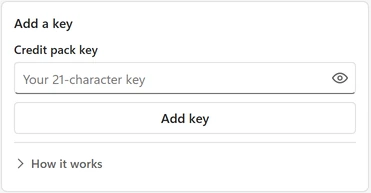
- To add a key, open the menu (top left), go to Credits and keys, and paste it. Keys are shown masked. The panel lists your free credits, each pack with its credits left, and the total.
- With several keys, the add-in spends the oldest-added pack first and your free credits last.
- Credits belong to their key and cannot be moved to another key. You can use the same key on several computers, or give it to a colleague; whoever has the key can spend its credits, so keep it private.
- Each key belongs to one add-in. An AI Categorizer key does not work in AI Fuzzy Match, and an AI Fuzzy Match key does not work here. If you paste one, the pane says: “This key belongs to AI Fuzzy Match. Credits are separate for each add-in, so add this key in AI Fuzzy Match.”
Refunds #
Credit packs are non-refundable once delivered, because the 100 free credits are there to try the add-in first. Your statutory rights as a consumer are unaffected. EU and UK buyers agree at checkout that delivery starts immediately. If a purchase is reversed or charged back, the key is deactivated and the pane says: “This credit pack was refunded, so its credits are no longer available.” The full rules are in the terms of use and the refund policy.
Invoices #
Your invoices are in your account: sign in with the email you bought with.