
Before a run, the add-in checks that you can pay for all of it. If you cannot, it says:
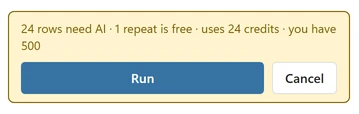
“This run needs {needed} credits and you have {available}. Sort the first {available} rows, or buy more credits.”
Your options #
- Sort the first rows: the add-in answers as many rows as your credits cover. A later run skips those rows and continues with the rest.
- Buy more credits: buy a credit pack, then open the menu (top left), go to Credits and keys and paste the key from your purchase email. Credits never expire.
- Send fewer rows: blank rows, repeated rows and rows that already have a result are free, so only the rest counts. Check that your selection does not include unrelated rows, such as totals or a second table below the list.
You bought a pack but the credits are not there #
- Check that the key is listed under Credits and keys. If not, add it.
- If the pane says “This key is not valid for AI Categorizer. Check it in your purchase email, or contact support.”, see Key is not valid.
- If it says “This key belongs to AI Fuzzy Match. Credits are separate for each add-in, so add this key in AI Fuzzy Match.”, you bought a pack for the other add-in. Its credits work only there.
- If it says “This credit pack was refunded, so its credits are no longer available.”, the purchase was refunded or charged back and the key was deactivated.
You did not get the 100 free credits #
- “Free credits were already used on this network. Buy a credit pack to keep sorting.” The number of free grants per network is limited. This happens on shared office or school networks.
- “Free credits are paused for today. Try again tomorrow, or buy a credit pack to keep sorting.” The free credits for the day are used up. Try again tomorrow.