
After your purchase you receive a license key by email. Add it once per device; there is no account to create and nothing to sign in to.
Steps #
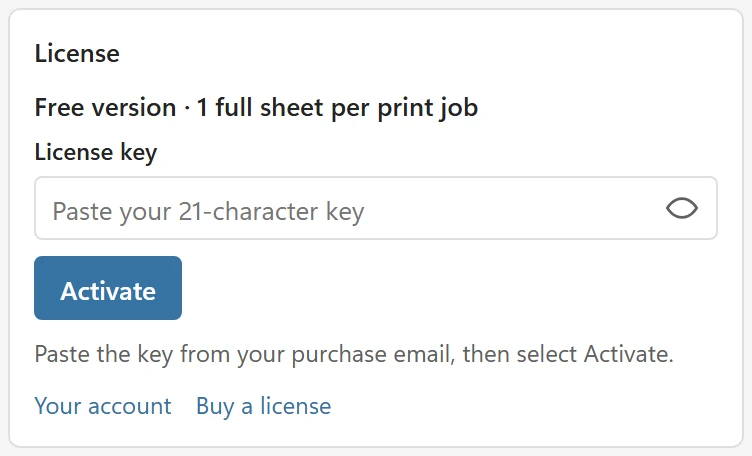
- In the LabelPop pane, open the menu at the top left and choose Enter license key. You can also click the Free badge in the header, or open Settings and scroll to the License block.
- Paste the key from your purchase email into License key.
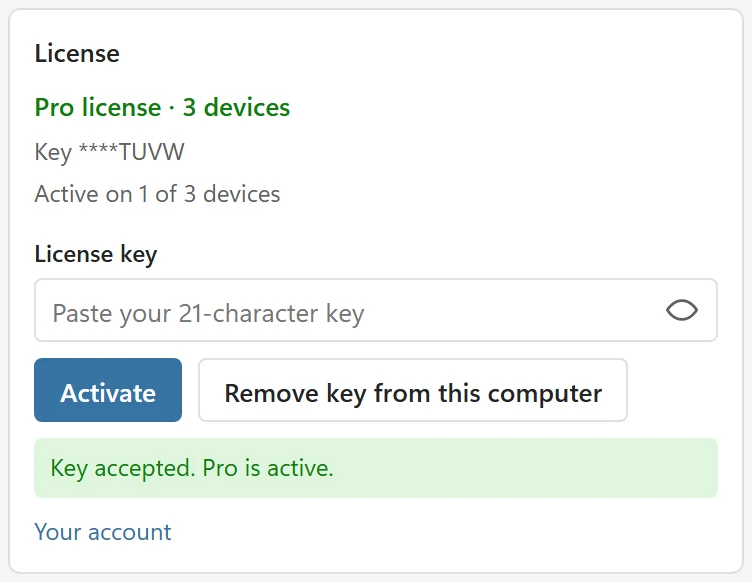
- Click Activate. LabelPop checks the key and shows Key accepted. Pro is active. The badge in the header changes to Pro, the Pro controls lose their lock.
If the license server cannot check the key right now, the message is LabelPop could not check this key right now. Try again later. Opening Settings checks the key again.
The key field hides the characters so the browser does not offer to save it as a password. The eye button at its right shows and hides the key. A key has 21 characters.
License status #
The first line of the License block shows your state: Free version · 1 full sheet per print job, or Pro license · 3 devices. Below it you see the end of the key (Key ****TUVW) and how many devices it is active on (Active on 1 of 3 devices). The About page also shows your plan.
Remove the key from a computer #
Each device you activate uses one slot. To move the key to another computer, remove it here first: click Remove key from this computer. LabelPop asks Remove this key from this computer? This frees its place, so you can use the key on another computer. It always asks first. Confirm with Remove key or choose Keep key. LabelPop then says Key removed from this computer. You can use it on another computer. and Pro is off on this device. If the license server cannot be reached at that moment, the message is Key removed from this computer. The license server did not confirm it, so the computer may still count in your account. Then free the slot in your account instead.
Good to know #
- The key is stored on this device only, never in the workbook. Colleagues who open your file do not get your key. They do not need one to open a PDF you made.
- Each license covers a fixed number of devices. Manage devices and invoices in your account.
- The license is a one-time purchase, valid for life, with a 14-day money-back guarantee. Details are in Plans and licensing.
- Do not have a key yet? Buy a license in the License block opens the page where you buy one.
Key not accepted? See My license key is not accepted.