
In your workbook and on your computer. LabelPop reads the cells you select, builds the labels on your device and keeps its settings there. Your list is not uploaded. The one exception is the print job outside Excel on the web (for example in Excel for Windows and Mac), and it is encrypted so that our server cannot read it. LabelPop has no analytics and does not send anything to an AI service.
The print job outside Excel on the web #
The desktop apps (for example Excel for Windows and Mac) cannot show a PDF from inside the pane, so LabelPop shows it in your default browser. To get the labels there, it uses a short-lived, encrypted hand-off:
- When you click Create PDF, the pane puts the label sheet, the design and the text of your labels into one print job and encrypts it with AES-GCM, using a new random key made on your computer for every job.
- The pane sends only the encrypted job to api.pythonandvba.com. The server stores only the ciphertext, for at most 10 minutes, and has no key. No file name, no key and no readable address is sent.
- The pane opens the print page in your browser. The decryption key is in the link, after the # sign. Browsers never send that part of a link to a server, so the key stays on your computer.
- The print page fetches the encrypted job once, and the server deletes it when the browser fetches it. The page decrypts it in your browser, builds the PDF there and shows it. If nobody fetches the job, it is deleted after 10 minutes.
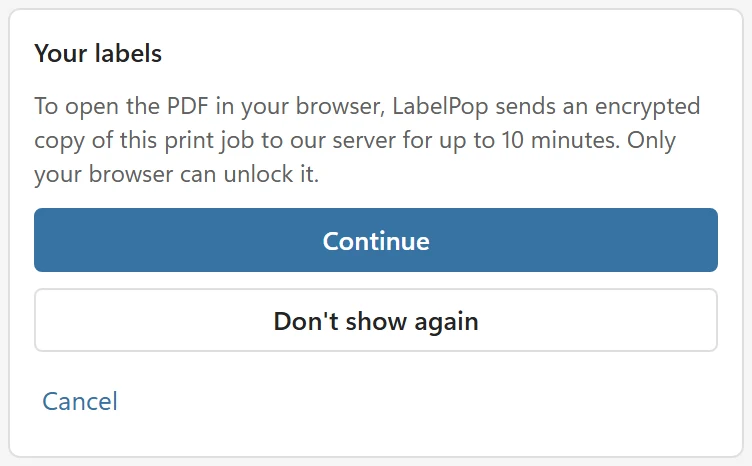
Before the first print job of a session, the pane tells you: To open the PDF in your browser, LabelPop sends an encrypted copy of this print job to our server for up to 10 minutes. Only your browser can unlock it. You can choose Continue (it asks again in the next session), Don’t show again (it never asks again on this computer) or Cancel, which sends nothing. The print page is a static page with no analytics. Apart from its own code and fonts from addins.pythonandvba.com, the print page makes one request: it fetches the encrypted job from api.pythonandvba.com.
The link from Copy link includes the key. It works once and for 10 minutes, but treat it as private and do not post it where others can read it.
On Excel for the web #
Nothing is uploaded. The PDF is built in your browser and opened in a new tab from there. A calibration page works the same way on both platforms and contains none of your data.
What else goes over the network #
- Loading the add-in: the pane loads its code and the label fonts from addins.pythonandvba.com and Microsoft’s Office script from appsforoffice.microsoft.com. These requests carry no workbook data.
- The license check: sends your license key, a random installation ID created on your device, the add-in version and a short platform name such as Excel for Windows. It runs only if you added a key, when the pane opens and when you add or remove a key. Without a key, no check is made.
- Nothing else: no analytics, no tracking, no advertising and no automatic error reports. The diagnostic info in About is only copied when you click the button and only sent if you paste it into a message to support.
What is stored where #
- On your device: your settings (theme, default paper, the last sheet you picked), the calibration numbers, the installation ID, the choice you made in the first-time notice, designs you saved with On this computer and, if you added one, your license key. The license key is never written into the workbook.
- In the workbook: only designs you saved with This workbook (the name, the sheet, the lines of the design and a logo if you added one), plus a sample sheet or a label sheet if you asked for one. The text of your labels is not saved anywhere by LabelPop.
- In memory only: the preview and the PDF while the pane is open.
Your PDF #
The PDF belongs to you. It is shown in your browser or saved with Download PDF, and it contains the text you printed. Keep it as private as the list it came from.
The formal details are in the privacy policy.