
LabelPop does not ask for a brand. You choose a sheet by its paper, the number of labels and the size of one label, and the pane shows the product codes that have the same size. This page lists all 25 sizes.
Find your sheet in the list #
- Look at the box or the label sheet for the paper size (Letter or A4), the number of labels per sheet and the size of one label. The product code is usually printed there too.
- In the pane, open the Sheet list in the Label sheet card. Sheets are grouped by paper and type, for example US Letter · Address labels or A4 · Return address labels.
- Pick the sheet with the same count and size. Under the list, LabelPop shows Same size as and the first codes, and a line such as 30 labels per sheet · 66.7 x 25.4 mm each.
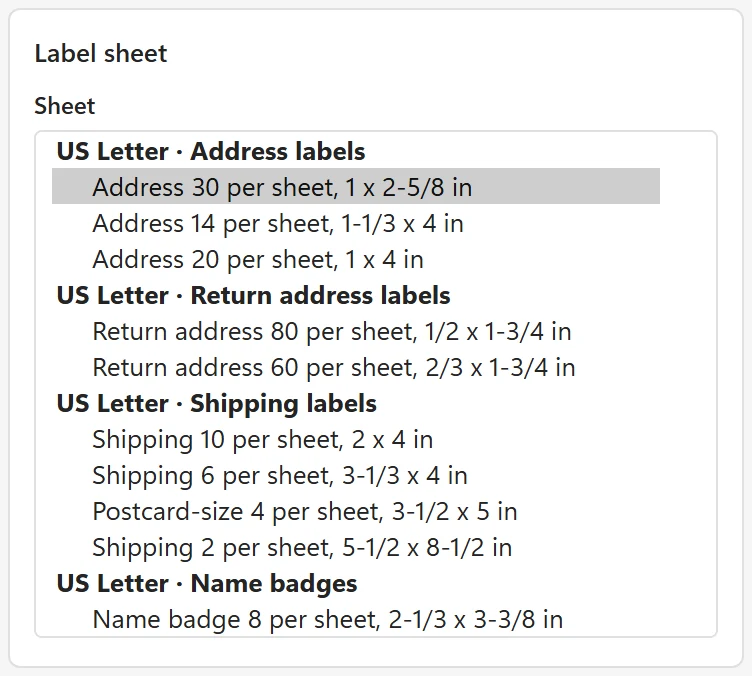
A sheet from any maker should work when its grid has the same size and count as the one you pick, because LabelPop prints to the label positions, not to a brand. The tables below show every code each size has the same size as.
US Letter sheets #
| Name in the Sheet list | Columns x rows | Label size W x H (mm) | Same size as |
|---|---|---|---|
| Address 30 per sheet, 1 x 2-5/8 in | 3 x 10 | 66.7 x 25.4 | 5160, 8160, 5260, 18160, 15660, 5520 |
| Address 14 per sheet, 1-1/3 x 4 in | 2 x 7 | 101.6 x 33.9 | 5162 |
| Address 20 per sheet, 1 x 4 in | 2 x 10 | 101.6 x 25.4 | 5161 |
| Return address 80 per sheet, 1/2 x 1-3/4 in | 4 x 20 | 44.5 x 12.7 | 5167 |
| Return address 60 per sheet, 2/3 x 1-3/4 in | 4 x 15 | 44.5 x 16.8 | 5195 |
| Shipping 10 per sheet, 2 x 4 in | 2 x 5 | 101.6 x 50.8 | 5163, 8163 |
| Shipping 6 per sheet, 3-1/3 x 4 in | 2 x 3 | 101.6 x 84.7 | 5164 |
| Postcard-size 4 per sheet, 3-1/2 x 5 in | 2 x 2 | 88.9 x 127 | 5168 |
| Shipping 2 per sheet, 5-1/2 x 8-1/2 in | 1 x 2 | 215.9 x 139.7 | 5126 |
| Name badge 8 per sheet, 2-1/3 x 3-3/8 in | 2 x 4 | 85.7 x 59.3 | 5395, 8395 |
| Name badge insert 6 per sheet, 3 x 4 in | 2 x 3 | 101.6 x 76.2 | 5392 |
| File folder 30 per sheet, 2/3 x 3-7/16 in | 2 x 15 | 87.3 x 16.9 | 5366 |
| Square 2 x 2 in, 12 per sheet | 3 x 4 | 50.8 x 50.8 | 22816, 22806 |
| Round 2 in diameter, 12 per sheet | 3 x 4 | 50.8 x 50.8 | 22807 |
| Full sheet 8-1/2 x 11 in | 1 x 1 | 215.9 x 279.4 | 8165 |
A4 sheets #
| Name in the Sheet list | Columns x rows | Label size W x H (mm) | Same size as |
|---|---|---|---|
| Address 21 per sheet, 63.5 x 38.1 mm | 3 x 7 | 63.5 x 38.1 | L7160, J8160 |
| Address 14 per sheet, 99.1 x 38.1 mm | 2 x 7 | 99.1 x 38.1 | L7163, J8163 |
| Address 16 per sheet, 99.1 x 33.9 mm | 2 x 8 | 99.1 x 33.9 | L7162, J8162 |
| Address 24 per sheet, 70 x 36 mm | 3 x 8 | 70 x 36 | 3490, 3475 |
| Address 24 per sheet, 70 x 37 mm | 3 x 8 | 70 x 37.1 | 3474 |
| Address 18 per sheet, 63.5 x 46.6 mm | 3 x 6 | 63.5 x 46.6 | L7161, J8161 |
| Mini 65 per sheet, 38.1 x 21.2 mm | 5 x 13 | 38.1 x 21.2 | L7651, J8651 |
| Address 8 per sheet, 99.1 x 67.7 mm | 2 x 4 | 99.1 x 67.7 | L7165, J8165 |
| Full sheet label 199.6 x 289.1 mm | 1 x 1 | 199.6 x 289.1 | L7167, J8167 |
| Full page A4, 210 x 297 mm | 1 x 1 | 210 x 297 | none, the whole A4 page |
Avery, Zweckform and Herma are trademarks of their respective owners. LabelPop is an independent product by Bosau Digital LLC and is not affiliated with or endorsed by them. Product numbers are listed only to identify compatible sheet sizes.
What each type is for #
- Address labels and Return address labels: LabelPop suggests name, company, street, city and country lines for address labels, and the same without company and country for return address labels.
- Shipping labels: the same address block with a bold TO: line first. The larger sizes (4 and 2 per sheet, postcard size) suit a bigger font.
- Name badges: the first name big, bold and centered, with the last name and company smaller below. The badge insert size is a perforated card sheet whose cards touch each other.
- File folder labels, Square labels, Round labels and Full sheet labels: one design for each label, with your own lines.
Letter or A4? #
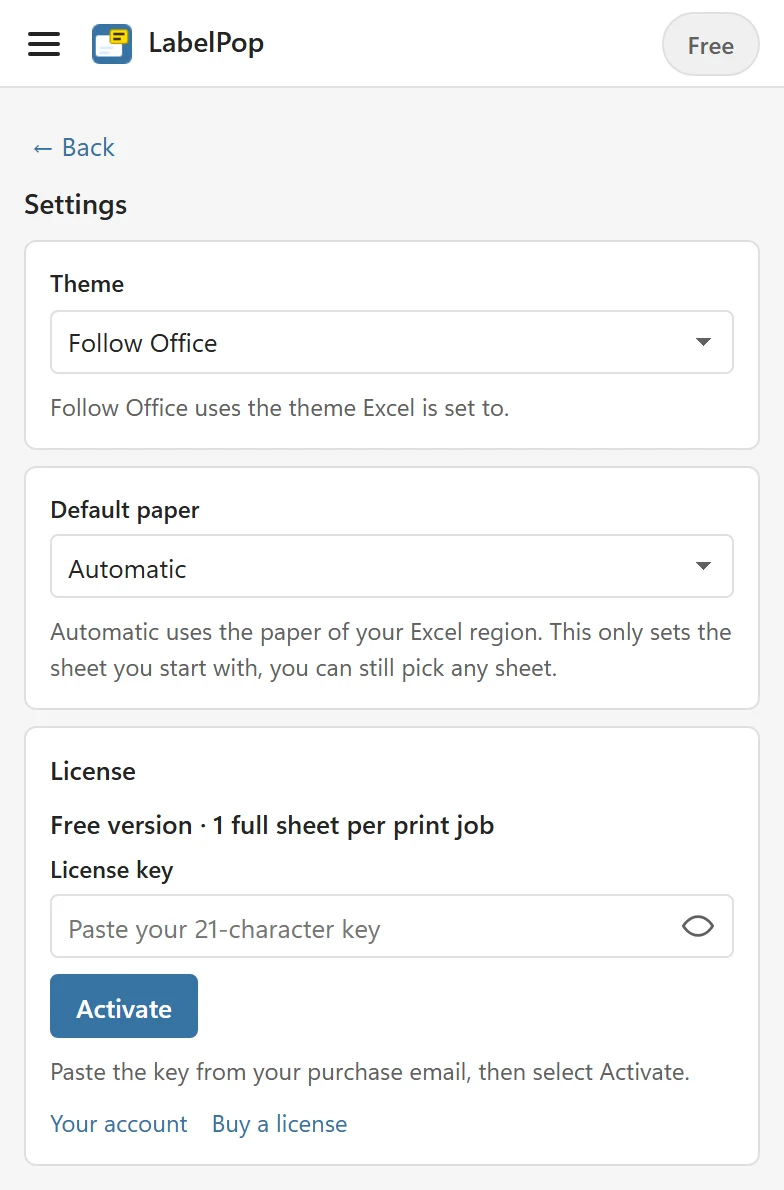
LabelPop starts with 30 per sheet on US Letter or 21 per sheet on A4, based on the region of your Excel. Settings has a Default paper choice: Automatic, US Letter or A4. It only sets the sheet you start with; you can still pick any sheet. If the sheet you picked has another paper than your Excel region uses, LabelPop warns you with This is a US Letter sheet, but your Excel’s region usually prints on A4. If your label sheets are A4, pick an A4 sheet. or This is an A4 sheet, but your Excel’s region usually prints on US Letter. If your label sheets are US Letter, pick a Letter sheet. The PDF always has the paper of the sheet you picked.
Your sheet is not in the list #
- Check the count and the label size again. A sheet with the same grid as a listed one works with that entry, even if its code is not shown.
- In Pro, choose Custom size (Pro) at the end of the list and enter the columns, rows, label size and margins. See Use a custom label size.
- Tell me about the size on the feature request page with the product code and the sheet size.
Test before you use a real sheet #
The sizes come from published sheet templates and layouts that were cross-checked against each other, but sheets vary a little. Print the first page on plain paper at Actual size and hold it against a real sheet in front of a window. The mini 65 per sheet size has very small labels, so check its first and last columns carefully. If the text is slightly off everywhere, see Fix alignment with calibration.