
An attendee list in Excel is all you need for name badges. LabelPop suggests a badge layout with the first name big and bold, and the last name and company smaller below, and prints it on badge sheets as an exact PDF.
1. Prepare the list #
Give each person a row, with a header row that names the columns, for example First Name, Last Name, Company and Title. Filter the list if you only need some people; filtered rows are skipped.
2. Use the selection and pick a badge sheet #
Click any cell in the list and click Use selection. In the Label sheet card, open the Sheet list and look under US Letter · Name badges:
- Name badge 8 per sheet, 2-1/3 x 3-3/8 in (same size as 5395, 8395): self-adhesive badge labels, 8 per sheet.
- Name badge insert 6 per sheet, 3 x 4 in (same size as 5392): perforated cards for badge holders. The cards touch each other, so the sheet has no gaps between them.
There is no A4 badge sheet in the list. For an A4 badge sheet with another grid, Pro has custom label sizes.
3. Adjust the badge #
The suggestion uses large text (20 pt on the 8 per sheet badge, 22 pt on the insert), centered, with the first name bold. In the Label design card you can:
- Click Add line and a column button to add the title or the city.
- Change the size of a line or the Vertical position (Middle suits badges).
- Use Margin inside label (mm) so the text stays clear of the holder’s edge.
Free font sizes go up to 18 pt, or to the size the sheet suggests when that is larger, so the suggested badge text is free. Other sizes need Pro. See Design your label.
4. Check the preview and print #
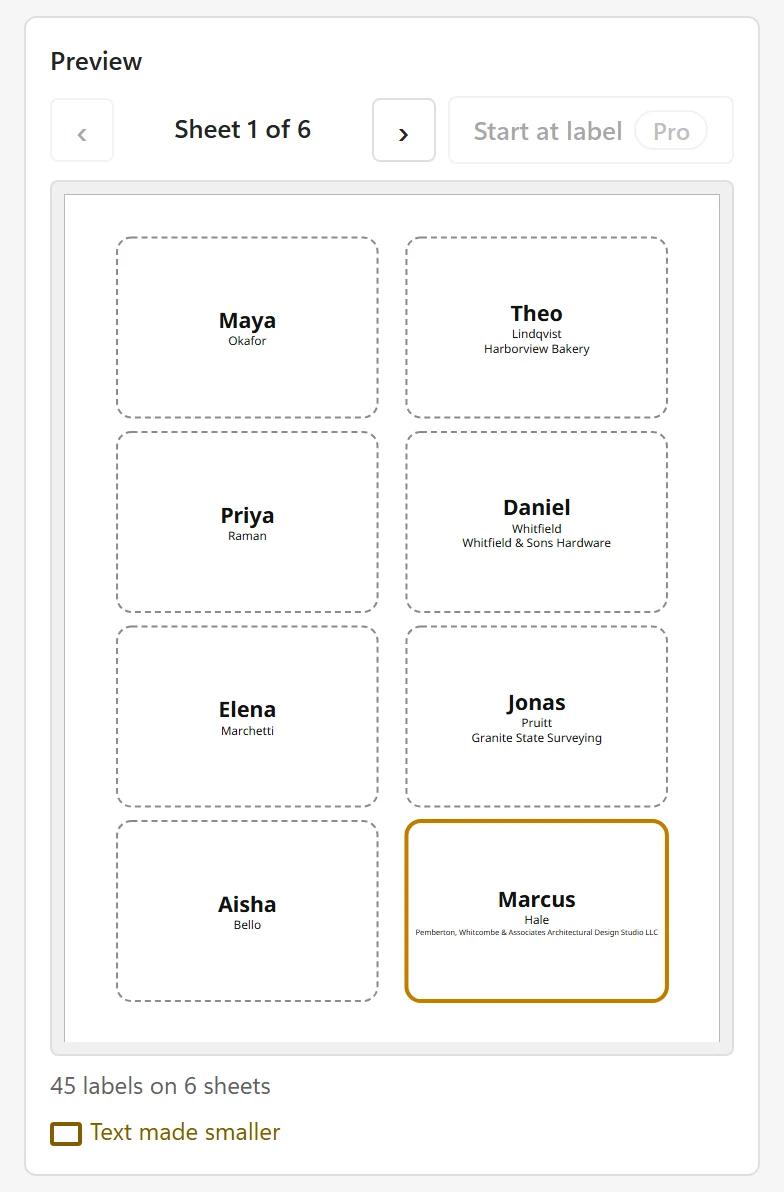
The preview shows each badge at true size. A long company name is made smaller or, if it is too long, cut off; the notes under the preview name the rows. Click Create PDF and print at Actual size on plain paper first, then on the badge sheet. The free version prints one sheet (8 or 6 badges) per print job.
With Pro #
- Print all badges of a large event in one job (up to 5,000 labels).
- Sort the badges by last name or company.
- Add a QR code or barcode for check-in and a logo for the event.
- Use Copies per row for people who need two badges.