
The same steps in writing #
Set up XLlama once, then use it from the XLlama ribbon in Excel. No terminal commands are needed.
Deploying for a company? Use the IT deployment guide and ZIP instead of the interactive installer.
1. Download and install XLlama #
- Download XLlama-Setup.exe.
- Save your work and close every Excel window.
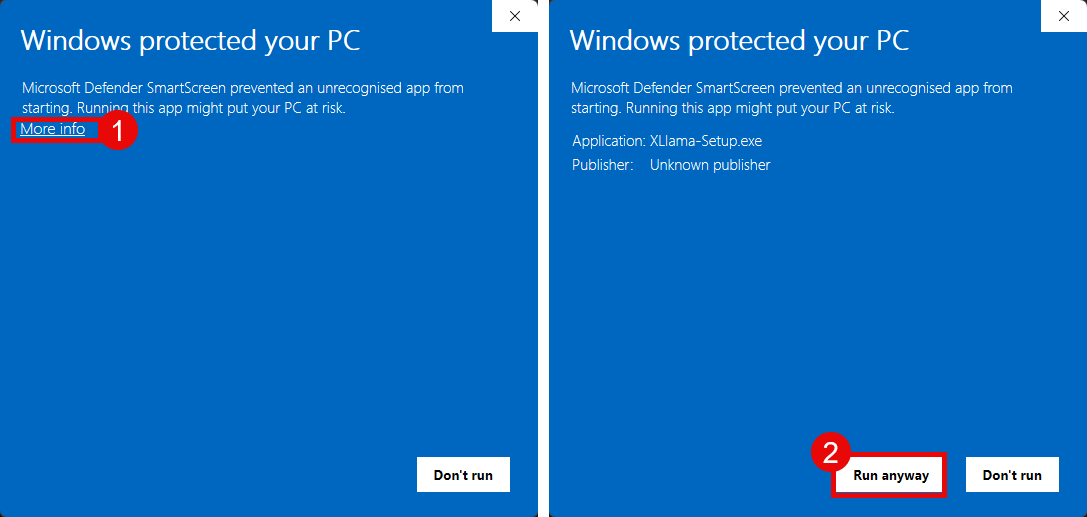
- Run the downloaded file. If Windows shows the warning below, confirm you downloaded it from this guide. To continue with this unsigned installer, choose More info → Run anyway, if your computer permits it.
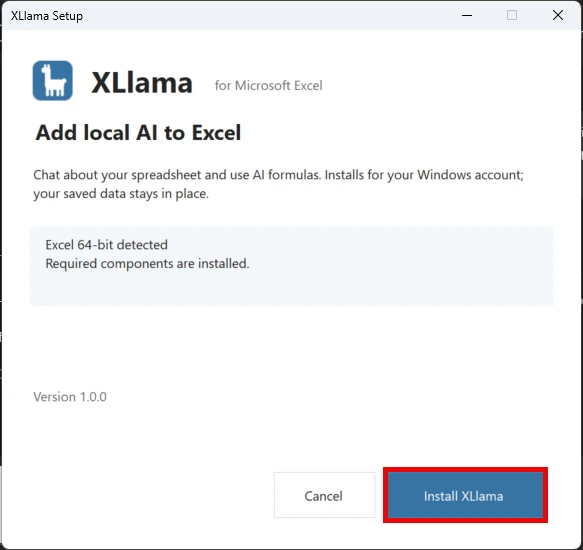
Choose Install XLlama. If setup asks for .NET Desktop Runtime or WebView2, use its download button, install that component, then choose Check again. Your company may require an administrator to approve installation.
2. Open XLlama in Excel #
Open Excel, create or open a workbook, then choose XLlama → Open XLlama in the ribbon.
3. Install Ollama #
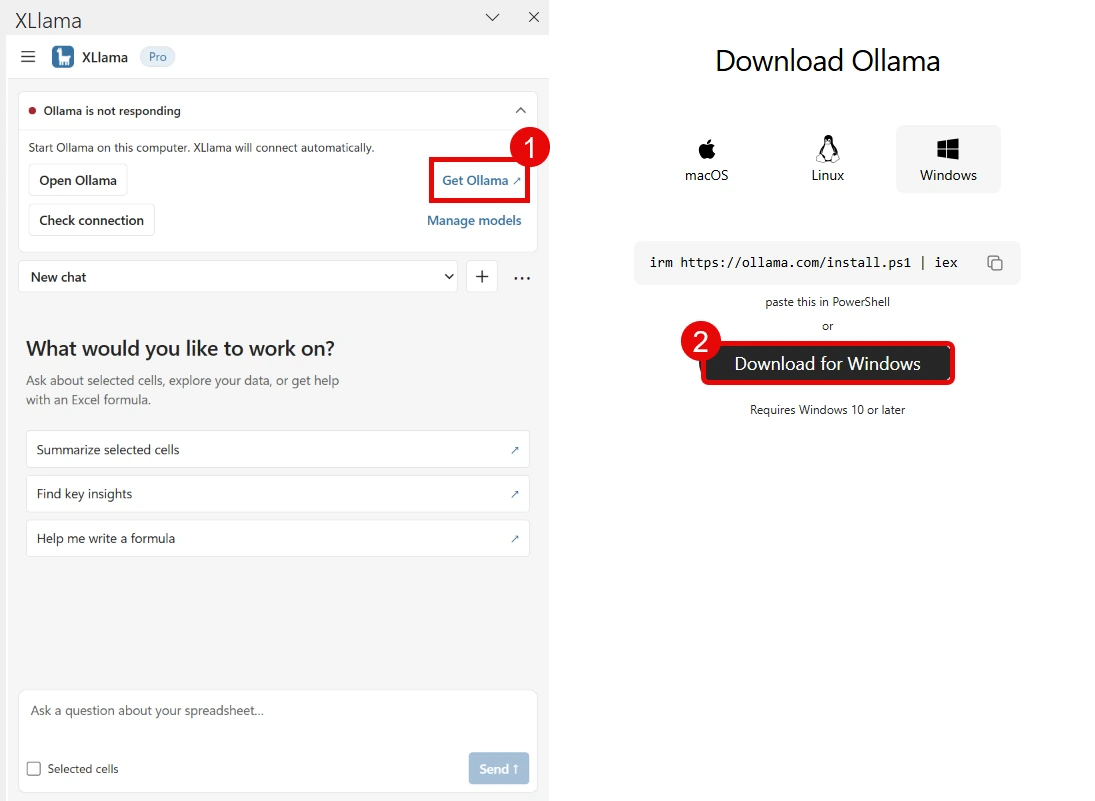
If Ollama is not installed, choose Get Ollama in the task pane, then Download for Windows. Run Ollama’s installer and choose Install.
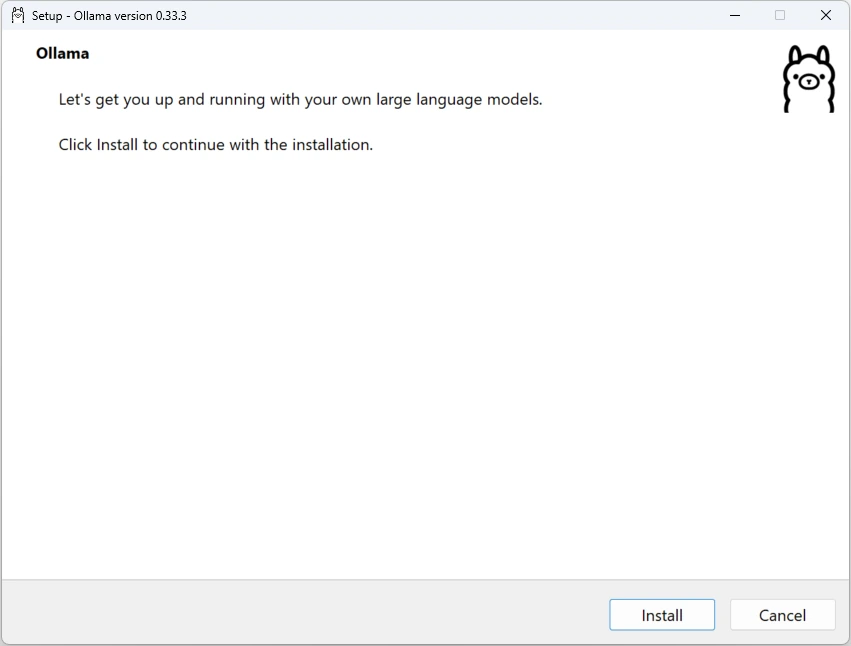
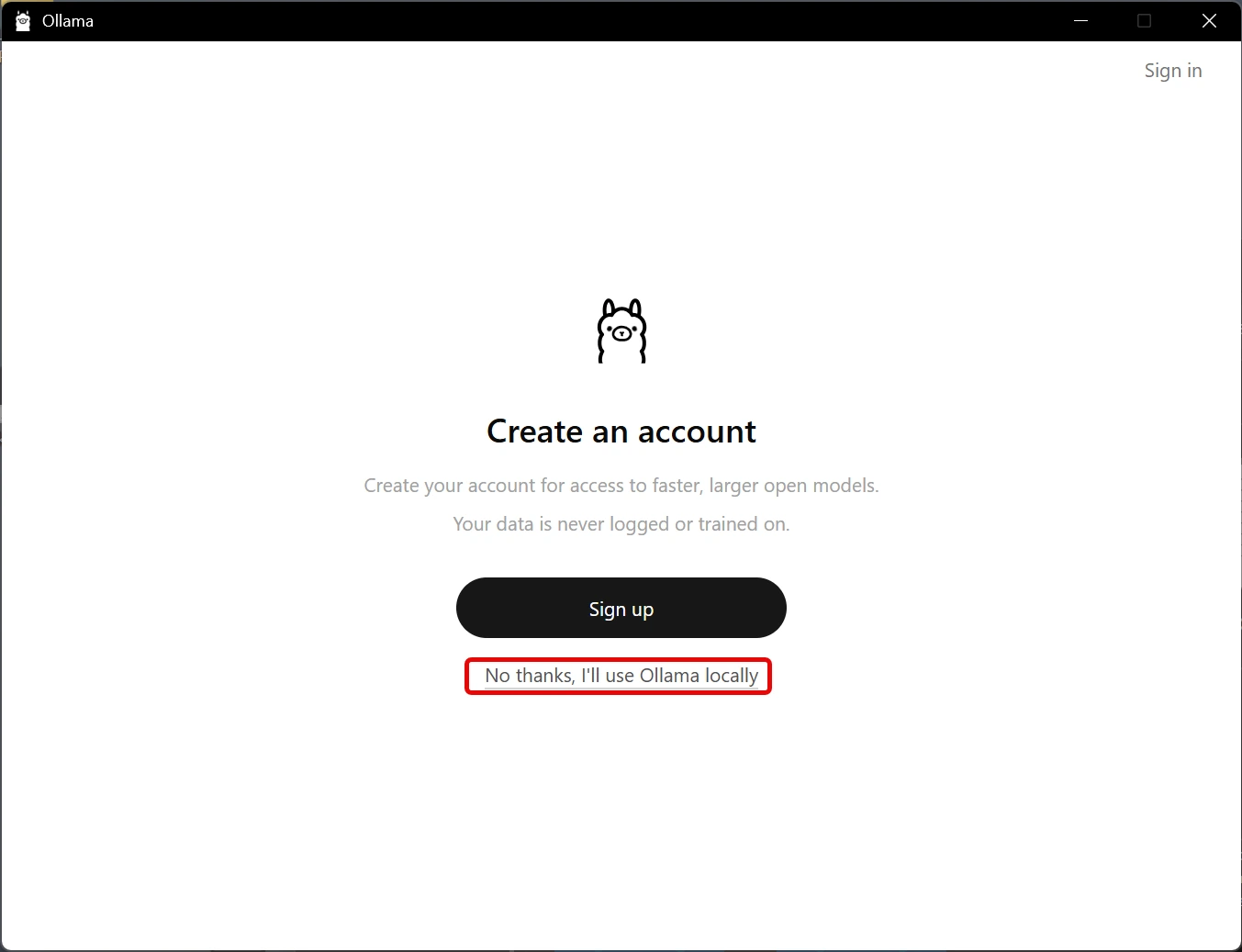
If Ollama offers an account, choose No thanks, I’ll use Ollama locally. XLlama uses downloaded local models; an Ollama cloud account is not needed.
4. Download your first model #
- Return to XLlama and choose Manage models.
- Enter
gemma3:4band choose Download model. For a smaller download, trygemma3:1b. - Wait for the download to finish. The current model is marked In use; choose Use model to switch to another installed model.
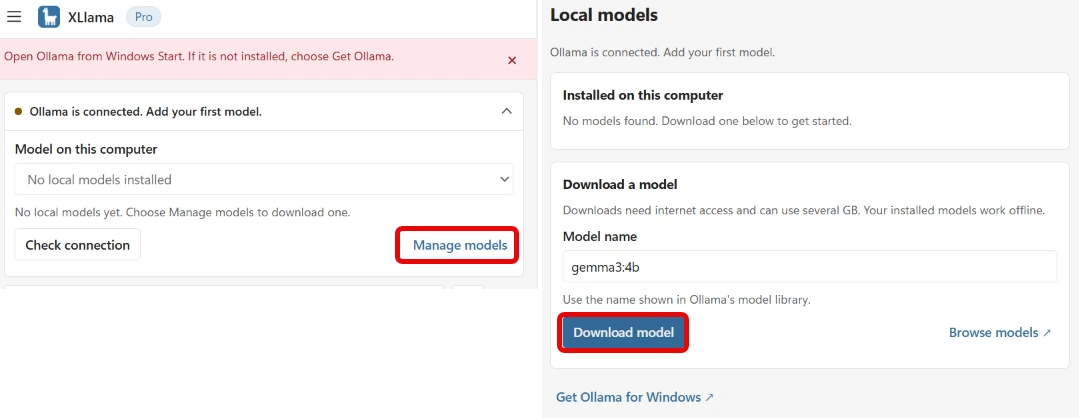
Downloads need internet access. After download, the model can answer locally. Screenshots may show slightly different labels as the interface improves.
5. Ask your first question #
- Choose ← Chat.
- Open a workbook with a small table. You do not need to select anything. With the default Auto setting of the chip above the message box, XLlama uses your selection, or the table around your cursor, or the whole sheet.
- Type Summarize this feedback in three bullet points and choose Send.
To change what XLlama reads, click the chip and choose Selection, Active sheet, Workbook or None. See Choose what XLlama reads. If your table is very big, see How much data can XLlama read?. For all chat features, see Chat with your spreadsheet.
With no sample data, open Help → Create demo sheet. It adds a small table and formula examples as text; copy a formula into an empty cell when you want to run it.
If something does not connect #
Open Help → Diagnostics → Run diagnostics. It checks Ollama, the connection and your model. Leave the address at http://127.0.0.1:11434 unless you deliberately configured another local port. No Office.js origins command or browser permission is required.
Free is ready without a key. To activate Pro, open Settings → License, paste your XLlama key and choose Activate key.