
The critical path is the chain of dependent tasks that decides when the project ends. A delay on any of them moves the end date. SimpleGantt calculates it for you. The critical path is a Pro feature (included in the trial).
Turn it on #
- Point at the chart and click Edit.
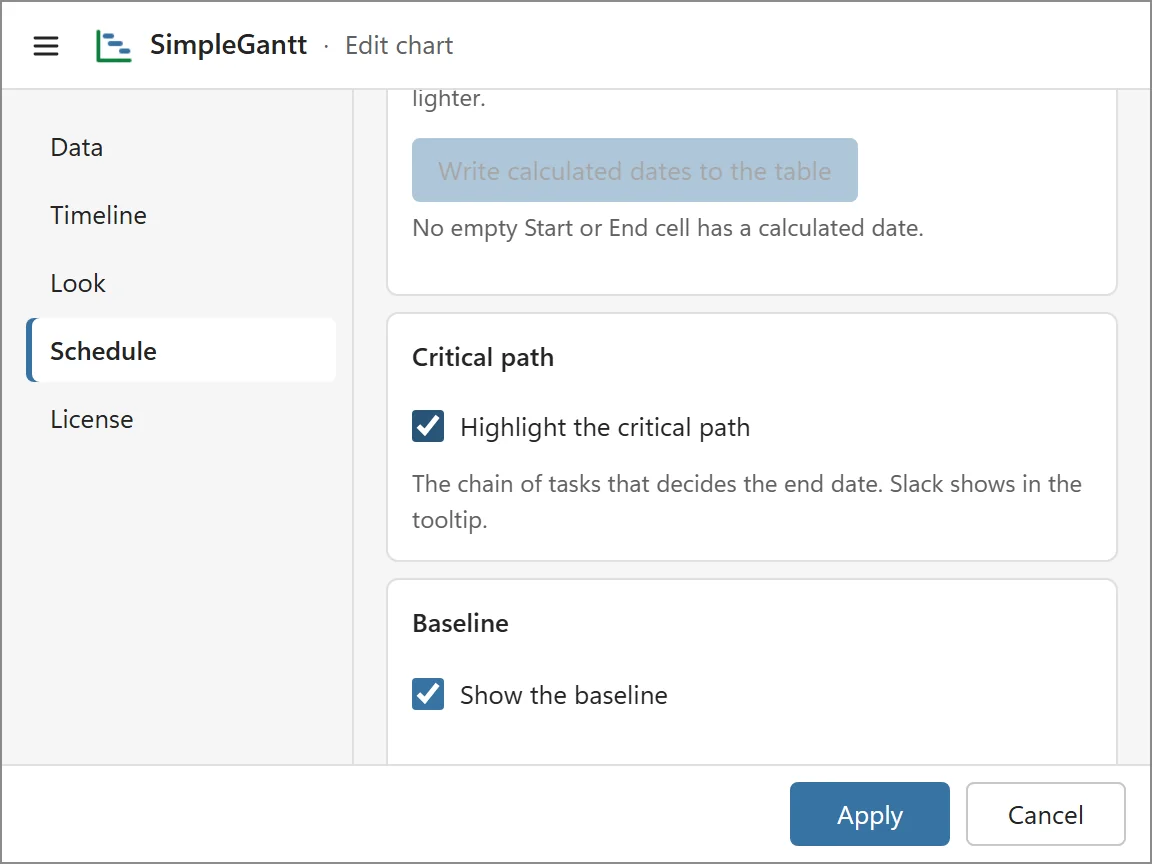
- Open the Schedule tab, turn on Highlight the critical path and click Apply.
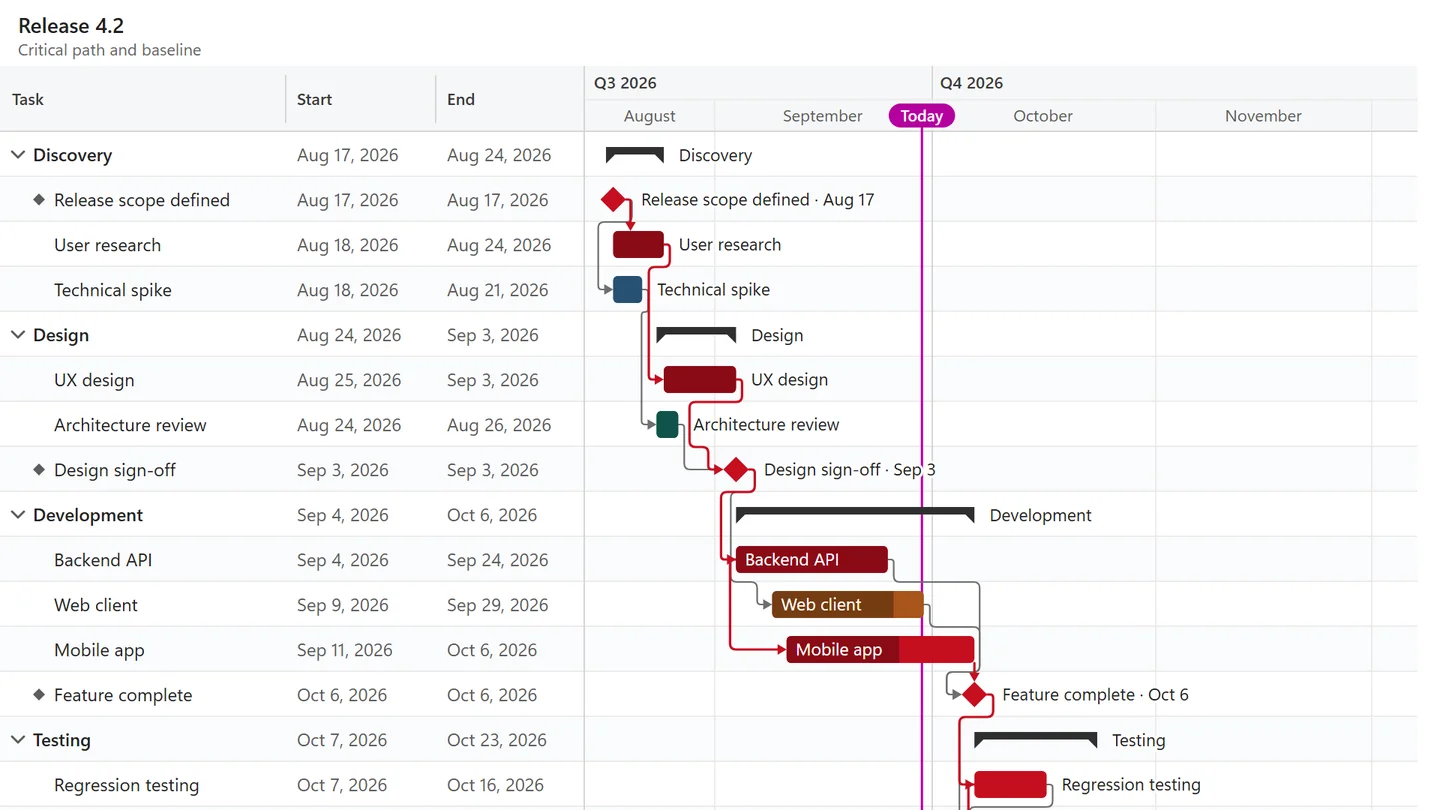
Critical bars and the links between them are drawn in the critical color. Point at any other task to see its slack in the tooltip: how many days it can slip before it delays the end.
What it is based on #
- The dates shown in the chart: typed dates, plus calculated ones where you left gaps.
- Your working calendar, so weekends and holidays do not count as slack.
Without dependencies there is no path to calculate: the chart then highlights nothing, and the Schedule tab says the plan has no dependencies yet. Links that are part of a circular dependency are left out and listed under Issues.
Use it #
- Before a status meeting, check which critical tasks are late and talk about those first. Late needs a Progress or Status column in the table.
- Combine it with a baseline to see whether the critical tasks have slipped since you agreed the plan.