Every payment you have made has an invoice waiting in your account, and you can download it yourself.
- Open account.pythonandvba.com and sign in with the email address you bought with, or with your product and license key.
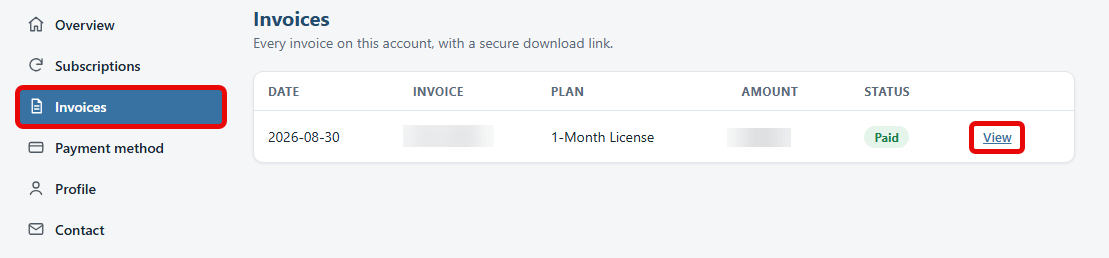
- Click Invoices in the left menu (1). Every invoice on the account is listed with its date, plan, amount and status.
- Click View on the row you need (2). It opens a secure download link for that invoice.