
QuickText can take your contacts straight from your phone, with no file and no cable. On the Contacts page, click Import from phone. Your phone answers with its address book, and the normal import window opens so you can look before anything is saved.
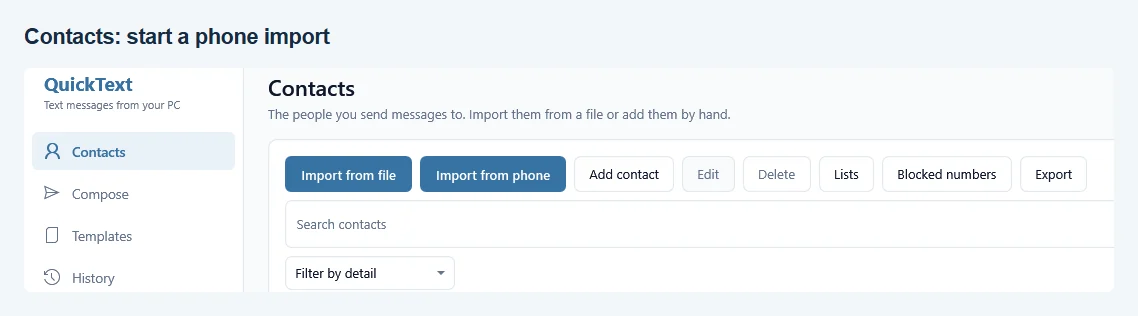
Your phone has to be paired and connected for this. If it is not, QuickText says so and the Your phone page gets you back on track.
Two one-time taps on the phone #
The first import needs your permission on the phone itself, in two places. Android has to let KDE Connect read your contacts, and KDE Connect has to be told that this particular PC may receive them.
- Open KDE Connect on your phone and tap the entry for your PC. It is called QuickText on followed by your computer name.
- Under Some plugins need permissions to work, tap Contacts Synchroniser.
- Allow access to your contacts, then confirm that this PC may receive them.
- Back in QuickText, click Import from phone again.
If your phone shows no such entry, its KDE Connect app is probably too old. Update it from the Play Store and try again.
What comes over, and what does not #
Your phone sends whole contact cards, and QuickText keeps only the fields it can use:
- Name
- Up to three phone numbers per person, duplicates removed
- One email address, company, job title, city, birthday and note
Everything else a contact card can carry, including photos, street addresses and further email addresses, is ignored and never saved. Nothing at all is stored until you finish the import window.
The import window #
This is the same preview you get for a CSV, Excel or vCard file, so it works the way you already know:
- You see how many contacts arrived and what they look like before importing.
- People already in QuickText are recognised by their number and are not added twice.
- You can put everyone in a list right away, which is handy for keeping the phone import separate from your other people.
- Numbers are checked against your default country. If you work with local numbers and want them left exactly as they are, tick Keep numbers exactly as they are.
Nothing arrived #
If your phone sends an empty answer, QuickText cannot tell whether you have no contacts or whether the permission is missing, because the phone reports both the same way. Work through the two taps above once more, then import again. Big address books take a moment: the progress shows a percentage while the contacts come in batches.