
The fastest way to reach me is the contact form inside the app. Open Account & help and go to Help and support.
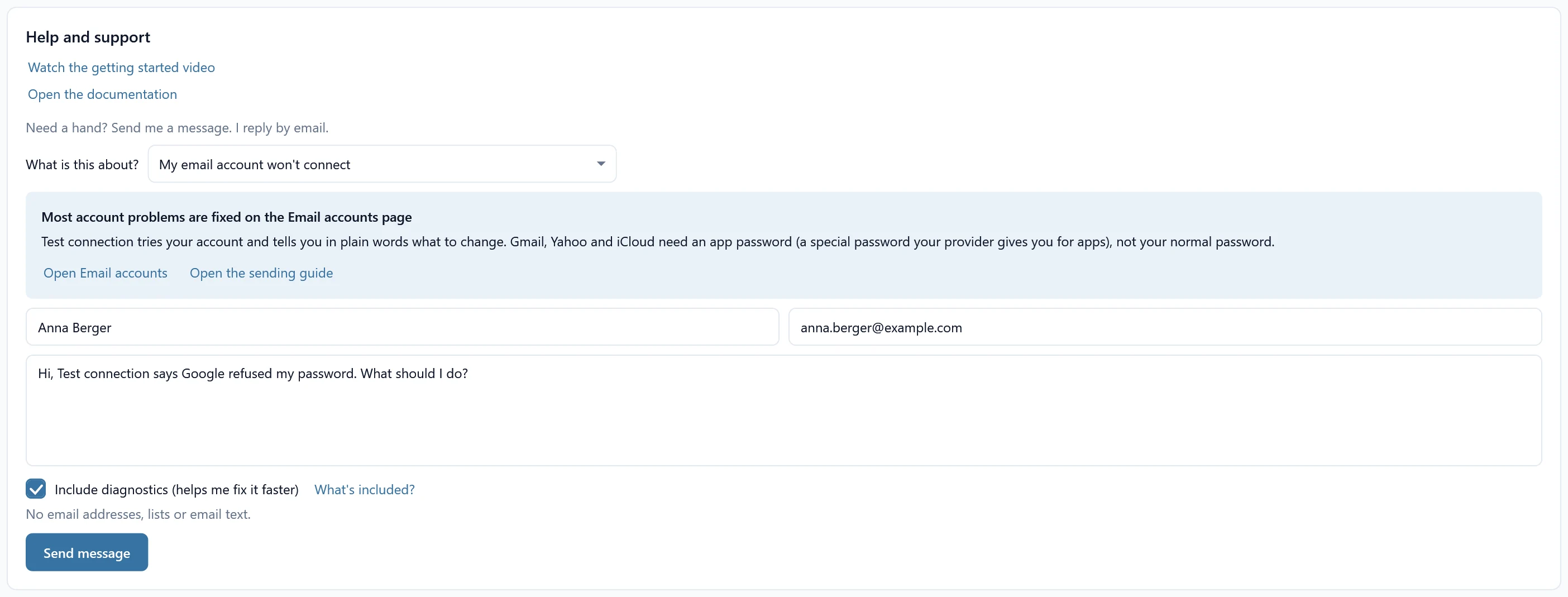
Send a message #
- Pick what it is about under What is this about?, for example My email account won’t connect or An Excel table doesn’t look right. For some topics the app first shows the guide that usually answers it.
- Fill in Your name, Your email address and What can I help you with? Say what you tried, what you expected and what happened instead. The exact message the app showed helps most.
- Leave Include diagnostics (helps me fix it faster) on if you are happy to share them. What’s included? shows exactly what is sent before you send it.
- Click Send message. I reply by email, usually within a business day.
Ideas and feedback #
Have an idea for SheetCourier? Click Suggest an idea under About SheetCourier, or choose An idea or feedback in the form. You can also see what others suggested and vote on ideas.
Before you write #
- Email account problems: Google refused my password and the other troubleshooting articles.
- Emails that did not go out: Emails failed or the send is stuck.
- Spam: Emails land in the spam folder.