Each person can get only their part of a table: every sales rep their own sales, every student their own grades, every customer their own open invoices. You need two things:
- Your list: one row per person, with their email address and a column that says who they are, for example Region or Rep.
- A table with everyone’s rows and the same kind of column, for example a Sales sheet where each row has a Region.
They can be two sheets of the same workbook, or two files.
Set it up #
- In step 2, Your message, click Excel table on the Insert bar.
- Under Where is the table?, pick the sheet, named range or Excel table with everyone’s rows.
- Under What does each person get?, choose Each person gets their own rows.
- In Rows where the table’s column, pick the column of the table (for example Region), and in matches this column of your list, the column of your list (for example Region). Upper and lower case and extra spaces don’t matter.
- Choose how it should arrive, for example Table in the email (recommended), and click Save table.
The Preview now shows each person’s own rows. For Anna in the North region, only the North rows; for Ben, only the South rows. The heading row is kept.
Totals #
If your table ends with a totals row, tick Keep the totals row (the last row of the table). SheetCourier works the totals out again from that person’s rows only (sums, counts, averages, minimum and maximum), so nobody sees anyone else’s totals. Cells that can’t be worked out again are left blank.
If a cell is calculated from the sheet’s totals row, for example a share of the total, it still compares against the whole sheet’s total. SheetCourier warns you when it finds such cells.
People with no rows #
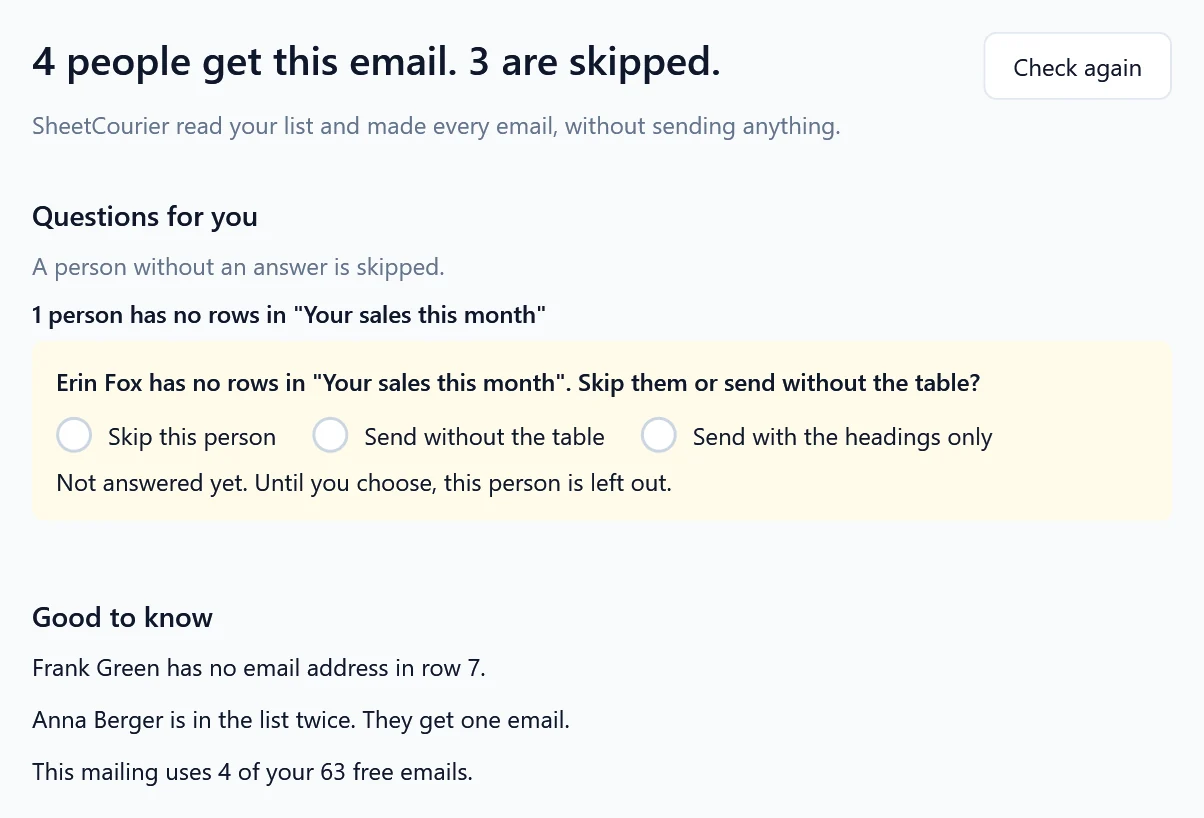
Under If someone has no rows, choose what happens: Ask me in the Check step (the default), Skip that person, Send the email without the table or Send with the headings only. With “Ask me”, the Check step lists everyone without rows, for example “Erin Fox has no rows in “Your sales this month””, with the three choices below it: Skip this person, Send without the table and Send with the headings only.