
You can send from an address on your own domain, like anna@yourcompany.com. How you connect depends on where your mailbox lives:
- Google Workspace: use the Gmail or Google Workspace tile. See Connect Gmail.
- Microsoft 365 at work: use the Microsoft 365 / Outlook.com tile. See Connect Microsoft 365 or Outlook.com. With classic Outlook on your PC (also for Exchange), Outlook on this PC works too: Connect Outlook on this PC.
- Zoho Mail: use the Zoho Mail tile under Other.
- Your web host (IONOS, GoDaddy, Hostinger, Strato, Namecheap, OVHcloud, one.com and others): use Other, then My own domain or another provider, as below.
Not sure? Type your address under My own domain or another provider and click Find my settings. If your domain’s email is hosted by Google Workspace or Microsoft 365, SheetCourier tells you which tile to use instead.
Connect your mailbox #
- Open Email accounts, click Add an email account, pick Other, then My own domain or another provider.
- Type your email address and the password of that mailbox. User name is usually your full email address; leave it empty to use your address.
- Click Find my settings. SheetCourier looks up your email server. Nothing is sent.
- Click Test connection, then Save.
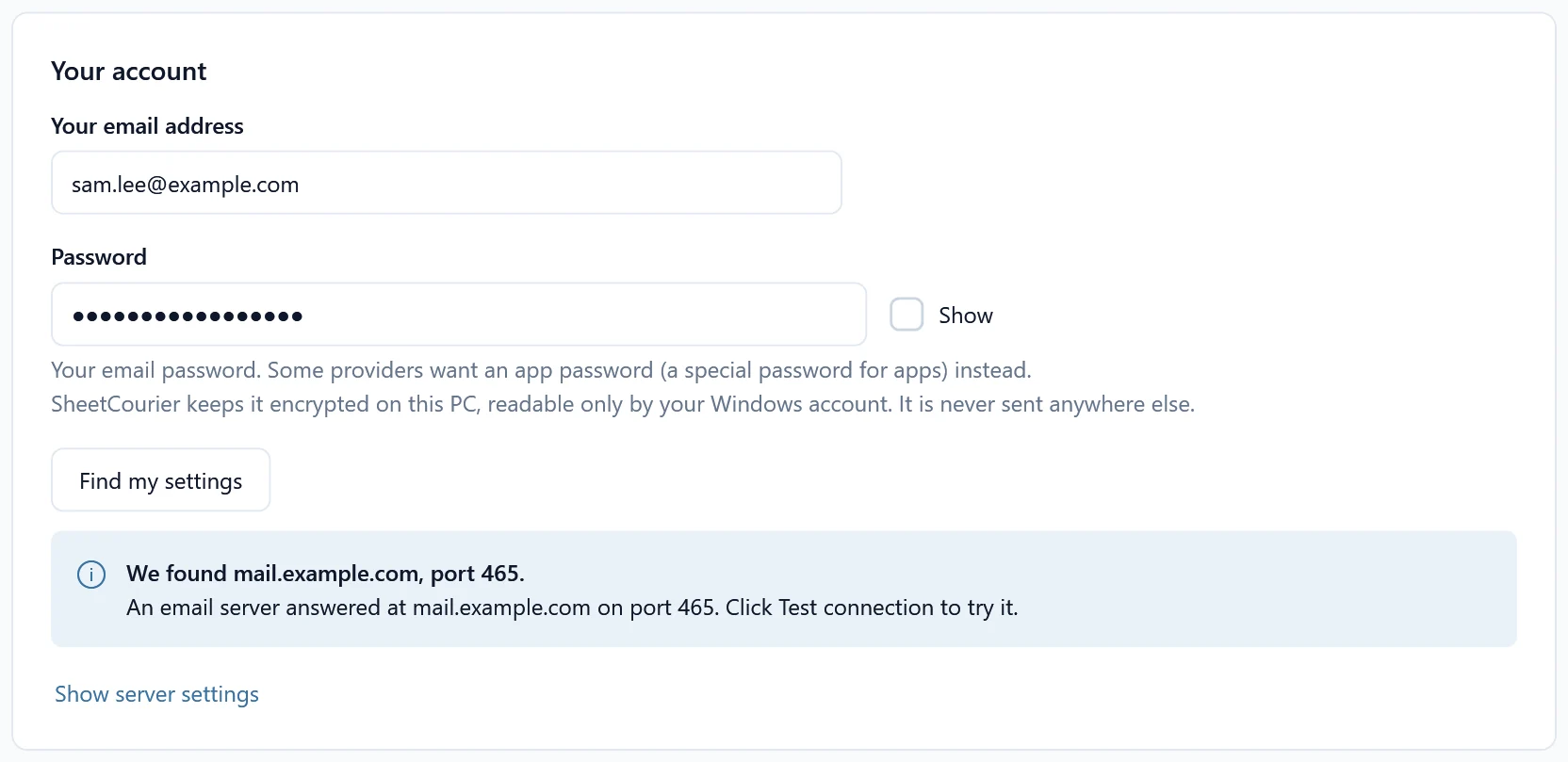
If it can’t find the settings, ask your web host for the outgoing (SMTP) server and port, click Show server settings and type them in. Leave Security on Automatic (recommended): tries both common ways.
Make sure your emails reach the inbox #
Mail servers check three settings of your domain before they trust an email from it. You add them where you manage your domain (often where you bought it), as TXT records:
- SPF tells mail servers which services may send email for your domain.
- DKIM adds a signature that proves an email really comes from your domain.
- DMARC tells mail servers what to do with emails that fail those two checks. Gmail and Yahoo expect one.
Your web host usually sets SPF and DKIM up for its own mailboxes. When you use a sending service, SheetCourier checks your domain for you: click Check my domain on the setup screen. It says “yourcompany.com is set up for sending: Yes” or “Not yet”, and shows each record to add with a Copy button. See Use a sending service for larger lists.
If SheetCourier warns that emails from your domain go out through a server your domain does not list, ask your email provider or web host to check your SPF and DKIM settings.
Domains that only forward email #
Some domains only forward email to another mailbox (for example Namecheap email forwarding), so there is no server to send from. Send through the mailbox the emails are forwarded to, or through a sending service.